Keyboard
GDevelop gives access to all inputs made on the keyboard. This includes conditions to check if a key was pressed or released.
Note
Keyboard conditions do not work with on-screen (virtual) keyboards on touch devices. For mobile or touchscreen games, use the mouse/touch conditions or a virtual joystick instead.
Any key pressed
For this condition, the corresponding action/s will be performed if any key on the keyboard is pressed.
Any key released
This condition is true on the frame any key on the keyboard is released. It is useful to trigger logic only once when the player lets go of a key, without needing to specify which key.
Key pressed
Whenever the key selected while setting this condition is pressed, the corresponding actions are performed. The condition stays true for as long as the key is held down — it will repeat for every frame.
Key just pressed
Use this condition when you want to react only on the frame the key was pressed, not while it is being held down. This is the right choice for things like menu navigation, opening an inventory, or any one-shot action that should not repeat if the player holds the key.
Key released
Whenever the key selected while setting this condition is released, the corresponding actions are performed.
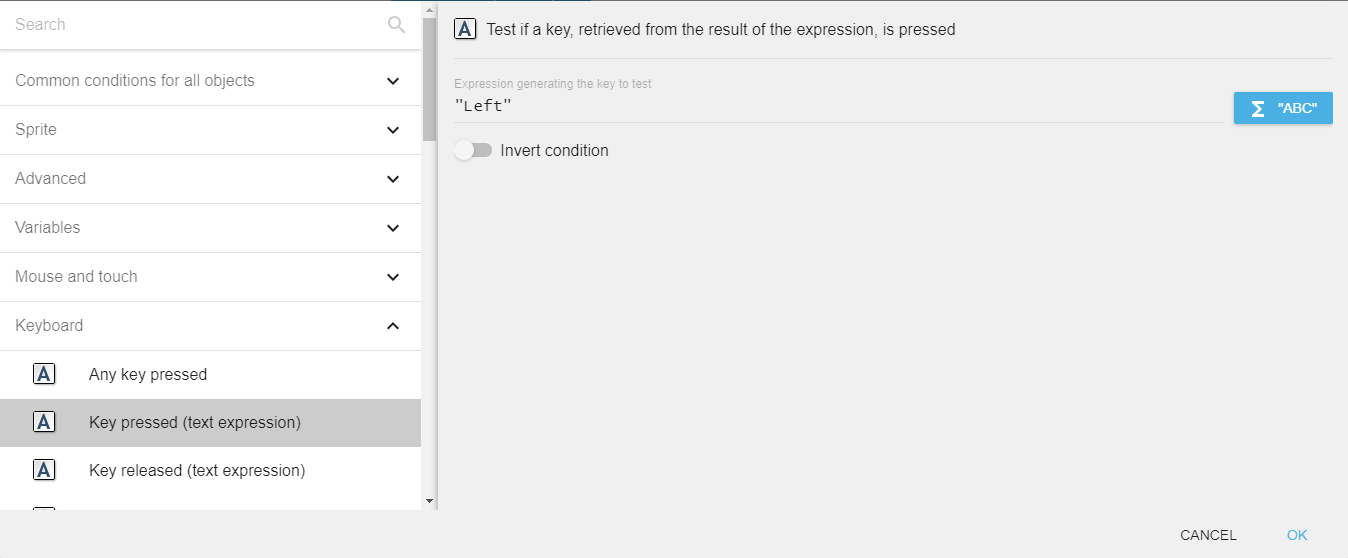
Key pressed (text expression)
To test a key press using this condition, you need to enter the key name in the form of text expression. For example, if you want to check condition for left arrow key press, you need to enter "Left" in the field.
Danger
Make sure that the key name is surrounded by quotes.
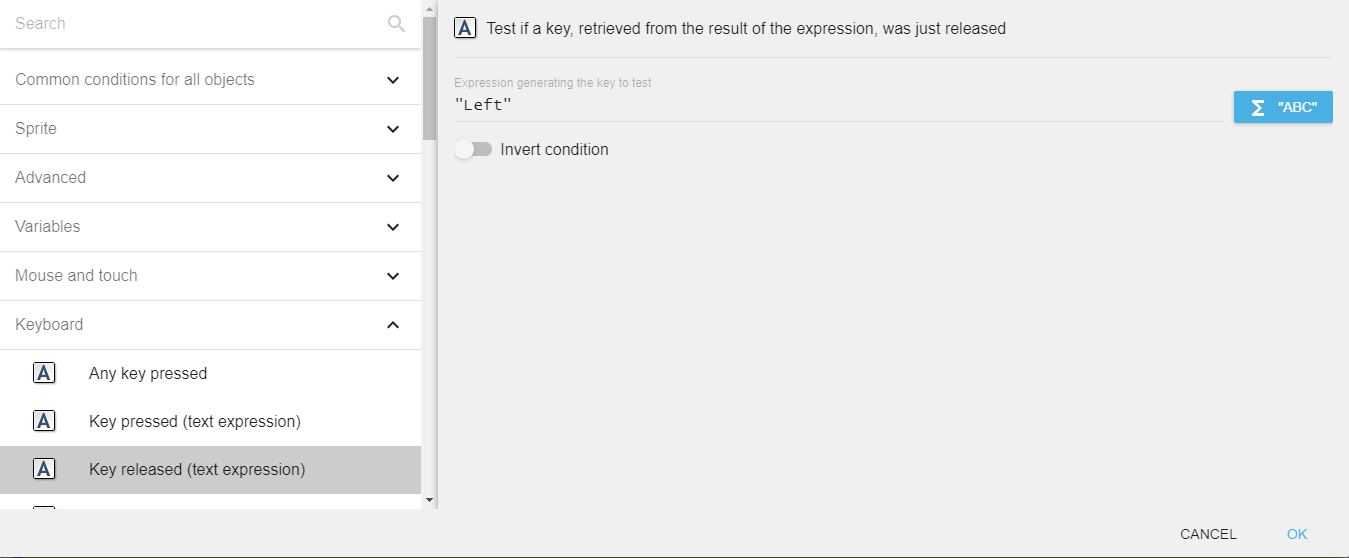
Key released (text expression)
To test a key release using this condition, you need to enter the key name in the form of text expression. For example, if you want to check condition for left arrow key release, you need to enter "Left" in the field.
Last key pressed
"Last key pressed" expression returns the last key press in the form of a string. For example, if the last key press is the left arrow key, the expression will return "Left".
This is useful to implement features like "Press any key to continue" or remappable controls: store the value returned by LastPressedKey() and feed it back into the text-based "Key pressed" condition.
Reference
All actions, conditions and expressions are listed in the keyboard reference page.